In short: RenderThink now has an API Platform. It runs a photorealistic render, an edit, a staging or an upscale from your own tools (a configurator, your website, your business software) or from an AI assistant that supports MCP. The test key is free with no credit card, and production starts at €0.19 excl. VAT per image, with no subscription.
Until now, RenderThink was driven from the screen: you open the Studio, pick an image, launch. That is still the case, and nothing changes for you if it is enough. The API Platform opens a second door, for those who want their tools to talk to RenderThink without going through the screen. This article explains, without jargon, what it is, who it is for, how to get started and what it costs.
What this update brings
For those who follow the update log, here is what is new:
- an API covering the four Studio operations: rendering, editing, staging and upscaling;
- an MCP server, which exposes the same operations to AI assistants;
- a console to manage your keys, follow your generations and usage, top up your balance and find your invoices;
- a playground to try every operation without writing a line of code;
- a public documentation, in French and English.
In the app, access lives in the Help menu, under API Platform (on a phone: More, then Help). On this site, the API Platform link is in the footer. Everything then happens on the platform's website.
API and MCP: two words, one simple idea
An API is an entrance designed for software rather than people. Instead of clicking "Launch", your tool sends a request to RenderThink ("here is a capture, render it in 2K") and gets the image back. That is what lets you build rendering into a website, a configurator or business software.
MCP (Model Context Protocol) is a standard plug for AI assistants. A compatible assistant, connected to RenderThink, can run a render, an edit, a staging or an upscale when you ask, then follow the generation through to the result. You write "render this capture in 2K, then stage the kitchen in a subtle style", and the assistant chains the calls.
Who it is for, in practice
The platform is meant for professionals who have a developer at hand, or the wish to automate part of their production. A few examples of what it makes possible:
- A configurator or an online store: your client designs their kitchen or wardrobe online, your site sends the capture to RenderThink and shows them a photorealistic render.
- Your business software: each generation can carry your own references (the project number, the client's), so the render files itself in the right record.
- Volume production: a catalog of views to render, variants to stage, images to upscale for print, without launching them one by one.
- An AI assistant: you already work with an assistant in your code editor or work tool; it learns to produce your visuals.
An agency or a freelancer working for several brands can belong to several organizations, each with its own keys, balance and invoices.
What the platform can do
| Operation | What it does | Resolutions |
|---|---|---|
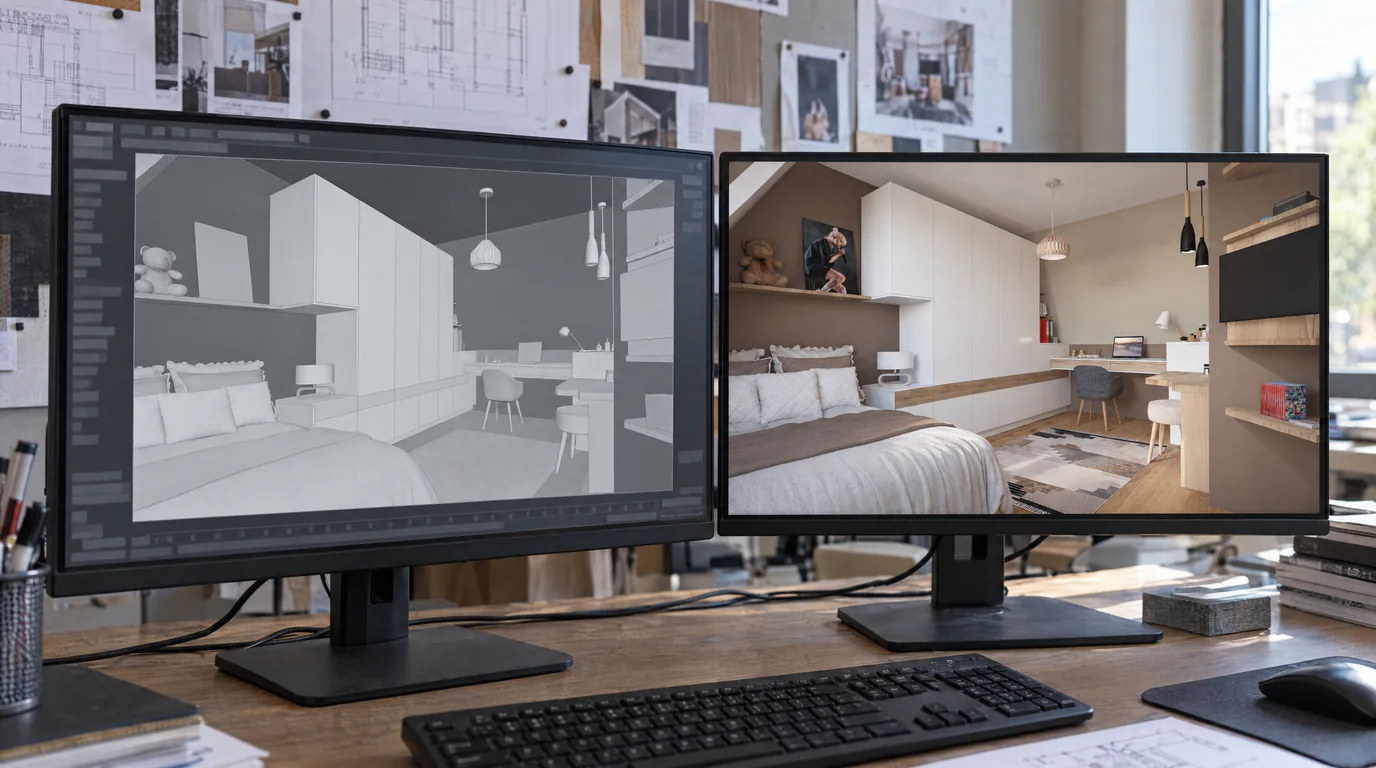
| Render | A capture from 3D software becomes a photorealistic image, with the same framing. | 1K to 8K |
| Edit | A material, a color, an object removed, added or replaced; the rest of the image stays put. | 1K to 8K |
| Staging | Tableware, plants, books, objects placed on the free surfaces of a room that is already furnished, in a given style. | 1K to 8K |
| Upscale | The image enlarged ×2 or ×4, up to 7,680 pixels on the long side, without altering it. | ×2 or ×4 |
Choosing the resolution: 2K suits a screen, a website or a document; 4K holds up to A3; 8K is made for a panel or a poster. 1K is a draft. A generation usually takes one to three minutes.
Images are sent as JPEG, PNG or WebP, up to 10 MB, by web address or as a file. The rules that make a good render in the Studio still apply: our guide on preparing a photorealistic render holds as is.
Get started in five steps
- Open Help, then API Platform, and sign in with your RenderThink account. No second account to create.
- Create an organization: its name, its country, and acceptance of the API terms. You are its owner.
- Create a test key under API keys. It is free: every generation goes through the same checks as for real and returns a sample image within seconds, with no charge.
- Try it in the Playground: you launch a generation from the console and get the matching code, to hand over to your developer.
- To go live, top up your balance under Billing and create a live key. The code does not change: only the key is swapped.
The quickstart page walks through these steps with code samples.
Connect RenderThink to your AI assistant
The MCP server is declared once in your assistant, with one of your organization's keys: a test key to try it, a live key afterwards. The documentation gives the configuration to copy for Claude Code, Codex, Cursor, VS Code (with GitHub Copilot) and Gemini CLI, as well as for any assistant that accepts a remote MCP server with an access key.
Once connected, the assistant has a few tools:
- create a render, an edit, a staging or an upscale;
- upload an image from your computer for a generation;
- read a generation and wait for it to finish;
- list staging styles and editing materials.
The assistant waits for the result and gives you the image link. That link is temporary: ask it to read the generation again if you come back later. Prices and limits are the same as through the API. One caveat: consumer assistants on the web, which connect by signing in to an account rather than with a key, are not supported yet. Everything is described on the MCP server page of the documentation.
What it costs
The model is simple: a price per image, charged to a prepaid balance, with no subscription or commitment. Reads, styles and materials are free; only generations are charged.
| Operation | 1K | 2K | 4K | 8K |
|---|---|---|---|---|
| Render, edit, staging | €0.19 | €0.23 | €0.26 | €0.29 |
| Upscale | ×2: €0.04 | ×4: €0.06 | ||
Prices excluding VAT at launch, in October 2026. Also worth knowing:
- a top-up is paid by card, from €10 excl. VAT up to the tier's cap (€250 to start, €5,000 at the top tier), and stays valid for 12 months;
- the total spent earns a discount on every price: 5% from €100, up to 20% from €1,000;
- automatic top-up adds balance when it drops below a threshold you choose;
- an optional monthly cap limits spending, with alerts at 50, 80 and 100%;
- a generation that fails, or that you cancel before it starts, is refunded in full.
The platform has its own balance, held by the organization: your app subscription is not involved. The current price list is published on the documentation's Pricing page.
Your images, your data
- Uploaded images and results are deleted 24 hours after the generation ends.
- No image received or produced is used to train an AI model.
- Each key has its own permissions, and can be restricted to certain IP addresses, expire on a date or be revoked at once.
- Each team member has a role: admin, developer or billing. A developer uses their keys without touching invoices.
- An invoice is issued for each top-up, with the VAT that applies to you.
What the platform does not do
Better to know before you start:
- it is for professionals only;
- staging dresses a room that is already furnished: it does not furnish an empty room;
- there is no ready-made connector for automation tools yet: you need a tool able to send a web request with a key;
- a render must not be presented as a photo of a real place when that could mislead, for instance in a listing.
And what about the app?
It stays as it is. The Studio, projects, client presentations and moodboards remain where you know them, with your subscription. The API Platform comes on top for those who need it, and it is the same rendering on both sides.
The easiest way to get a feel for it is to try: a free test key, the playground, and a few minutes. If you plug RenderThink in somewhere, tell us what you do with it: the next steps for the platform follow your use.